-
-
The first week, in screenshots
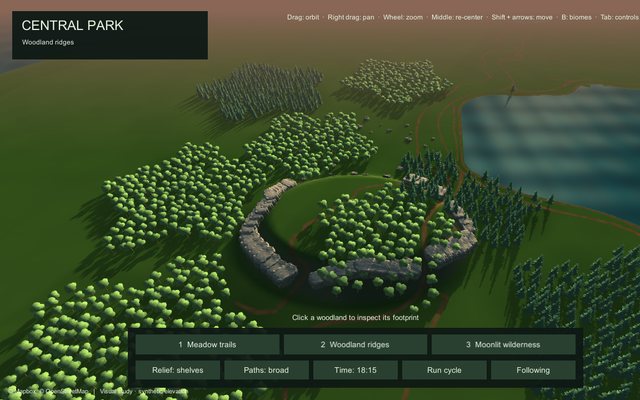
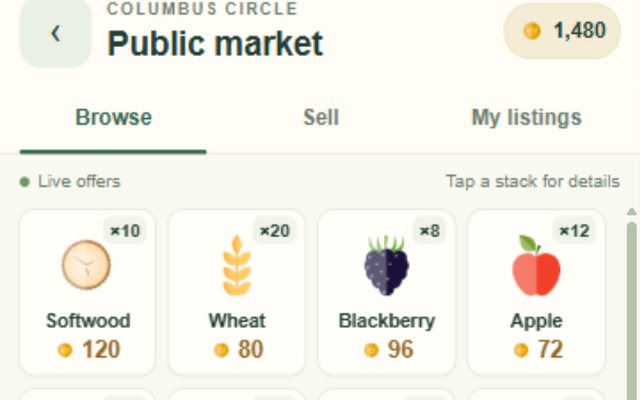
The earliest captures of the game, 9 to 13 September: a map plug-in's test scene with a simulated player, a first screen that mixes the map with a job, a landscape drawn from map data, a floating Home island and a first market screen. All are rough prototypes, and several are desktop-sized rather than phone-sized.
-
-
-
Day one: two generated boards
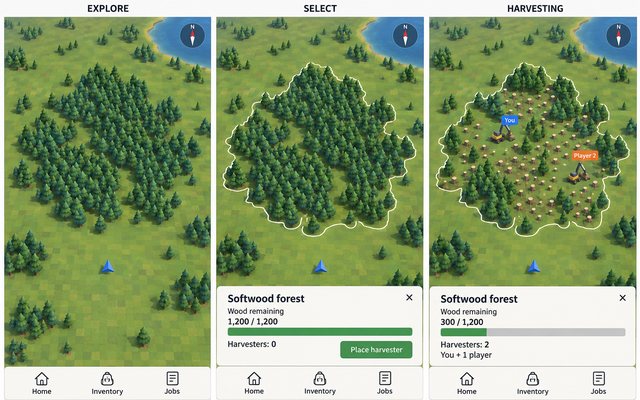
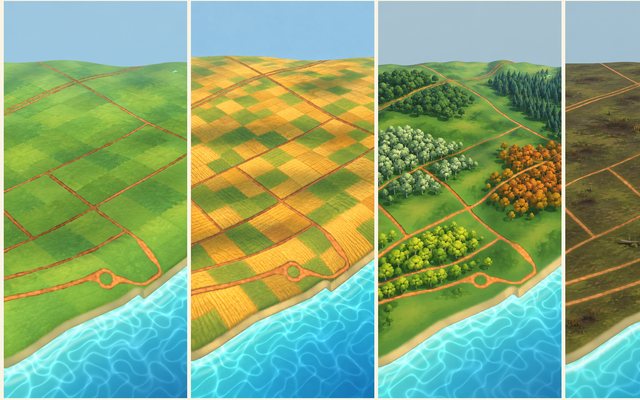
The first two pictures made for the game, generated on 11 September before any code or page existed: a floating Home island beside a public market, which was set aside as impractical, and a forest on a map in three states, which became the look of the map.
-
-
-
The player market
A dense four-column grid of player offers, with buying, selling, listing, withdrawing and the offline and lost-connection cases all clickable. Two follow-ups add a sale notification with a History tab, then a Collect step so sellers claim their own payment.
The grid was built, and manual Collect replaced the automatic credit shown in the second page.
-
-
-
Three checkpoints
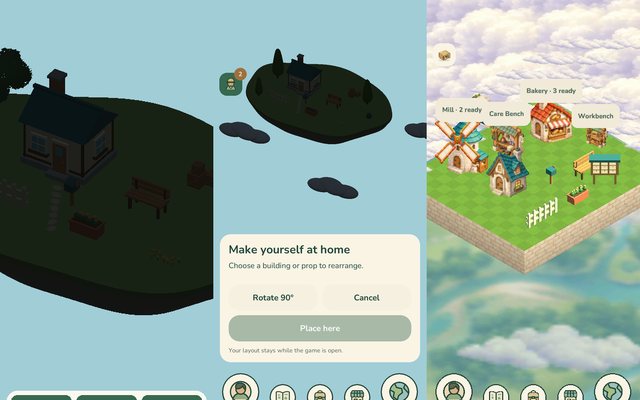
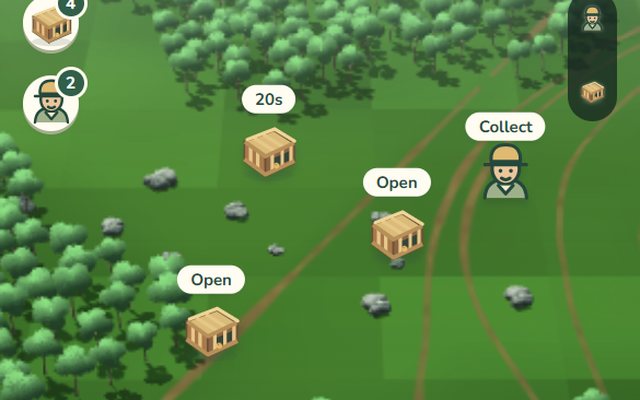
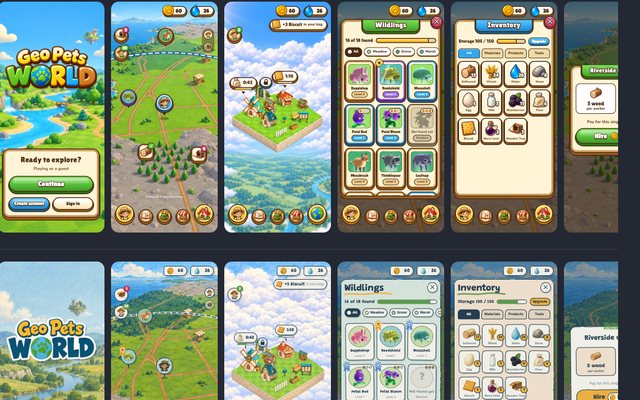
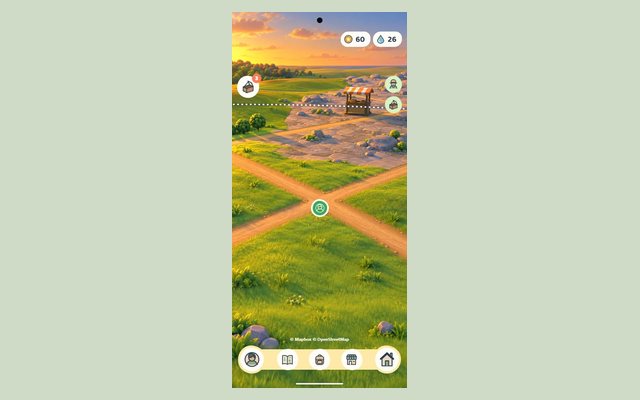
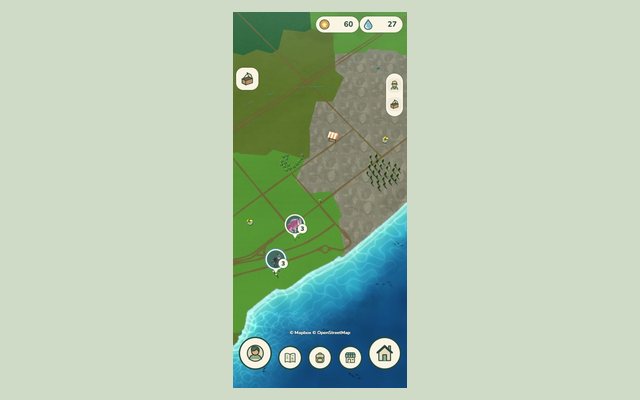
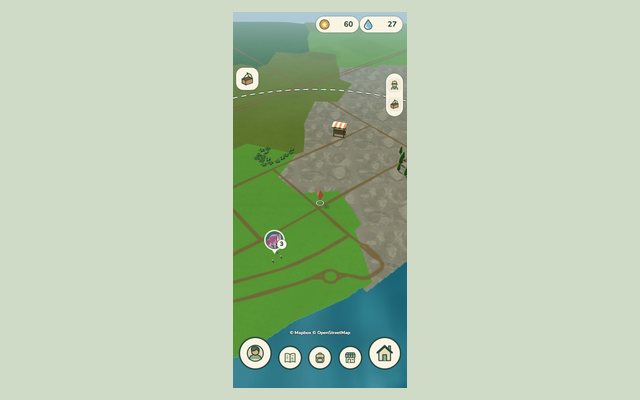
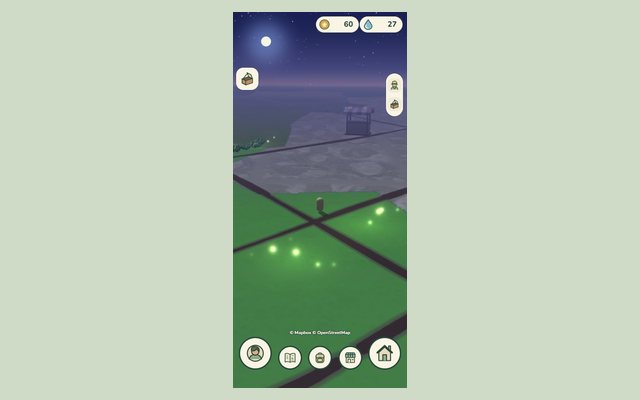
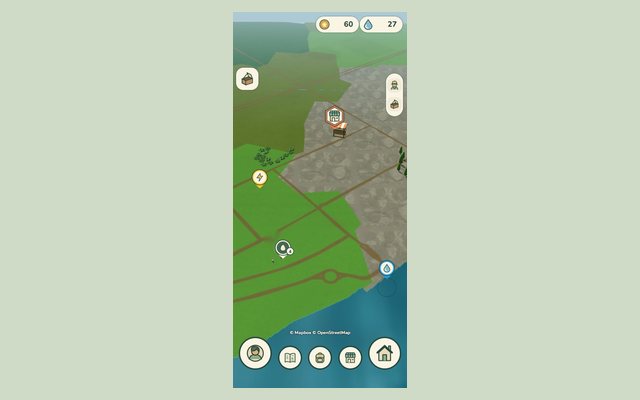
The game on a 390 by 844 portrait screen at three moments: a dark prototype with a chequered ground and a floating island (14 September), the first icon navigation (16 September), and a polished slice with meadow, rock fields, roads, a coast and a Home in the clouds (20 September).
-
Startup, guest and account screens
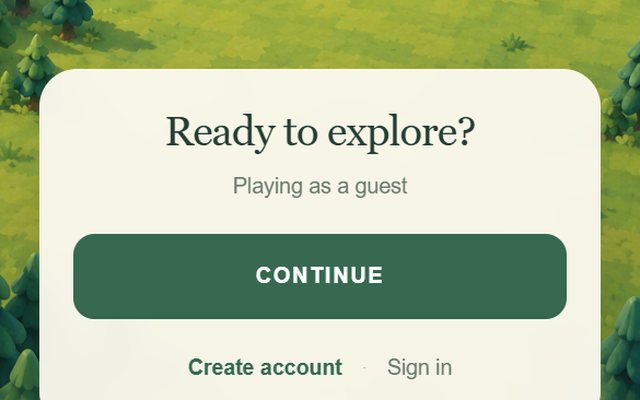
The first screens a player sees: loading, a splash with Continue, guest play, account creation, sign-in, password reset and log-out, with twenty selectable states and a board that shows twelve at once. A guest who creates an account keeps their progress, and switching accounts never merges silently.
-
World navigation: strip or floating
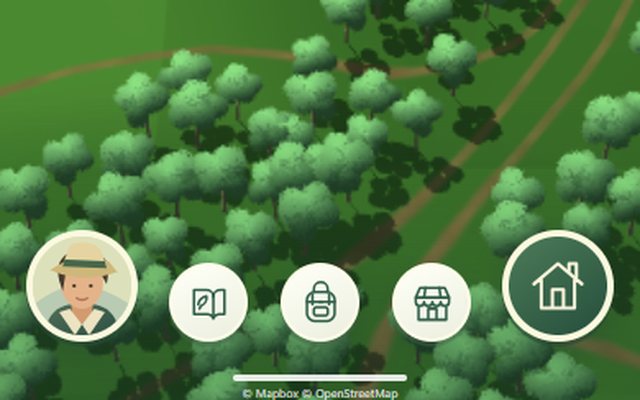
Two live phones side by side keep five destinations one tap away: a continuous bottom strip (A) against separate floating buttons (B). Open each destination, the Profile edge panel and Home, and compare either layout on its own.
Option B was built, with the Profile and Home/World buttons larger than the three in between.
-
Visual identity: three brand directions
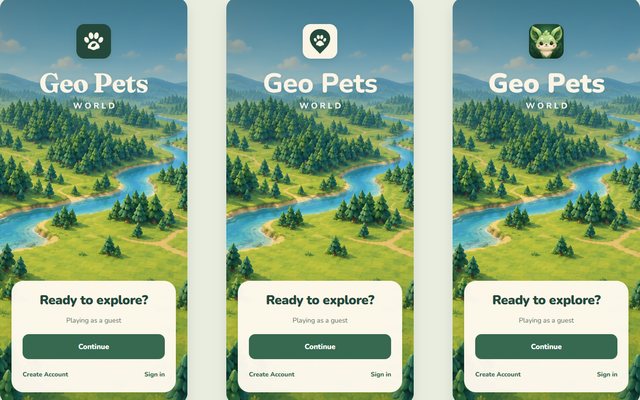
Three brand directions (Kindred Grove, Field Notes, Hello, Wild), each with an app icon, wordmark and font pairing, tried on a splash, Inventory, My Sales, the map and an account screen, beside a 31-symbol icon family and a type test. A second look tightens two of the marks and shows exact splash placements.
The Nunito UI font, the filled icon family and the cream-and-green surfaces were adopted, and the Hello, Wild face became the app image.
-
-
-
Worker roster and cancel
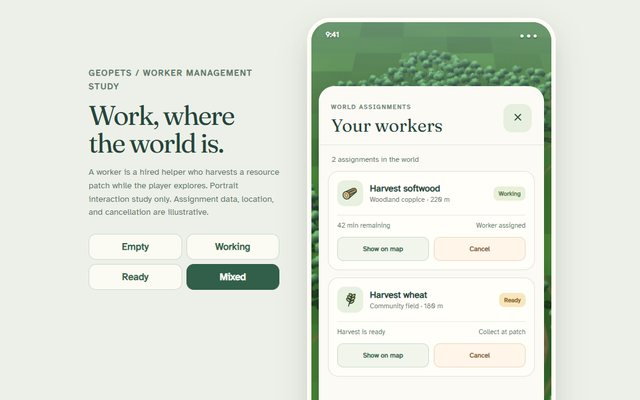
One phone over the map with a small worker shortcut. It opens a roster of assignments (task, place, status, time left) with Show on map, and a confirmation that warns the hire cost and the harvest are forfeited if the assignment is cancelled. Four states: Empty, Working, Ready, Mixed.
-
-
-
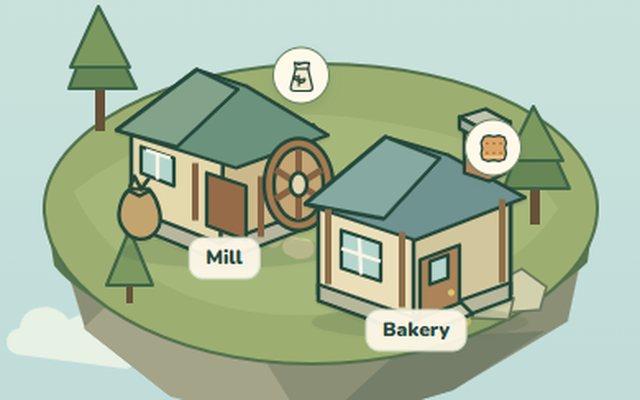
Working at home: Mill, Bakery and a Care Bench
A clickable portrait study of making things at home: tap the Mill or the Bakery on a floating lawn, queue up to three jobs, watch the timers, collect the finished goods and visit the world map. A second page adds a Care Bench that brews berry tonic.
-
Hometown: a village above the world
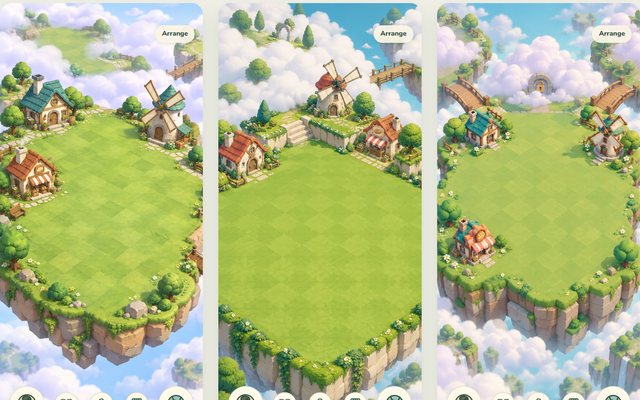
Three concept pictures of a spacious starting Home with more land waiting beneath the clouds, then an interactive study that snaps buildings to a measured grid, and cut-out art for the village that was chosen.
Village Green went forward, with the checker lawn and squared stone walls of Garden Terraces.
-
The Hometown grows
A floating lawn in the clouds that began with a mill and a bakery and grew to ten more buildings, then to a back lawn that opens up when the cloud is cleared. The building art is placeholder.
-
The request board
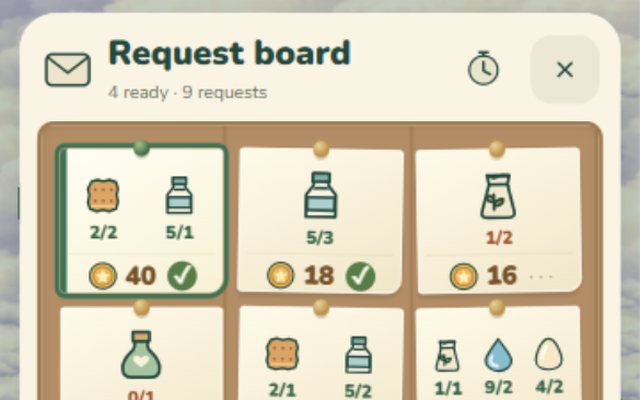
A noticeboard of nine pinned notes asking for goods such as biscuits, milk and flour, each with item icons, how many are held against how many are needed, a coin reward and a ready tick. Eight states cover missing supplies, an offline board and a lost response.
-
-
-
Wooden traps and biscuit bait
The whole trap loop on one phone: craft a wooden trap, pack the bag, choose a trap, a bait and a spot on the map, wait, then open the trap to find a visitor or an empty trap. Fifteen states, clock buttons, map toggles and a demo of the small text messages that fade at the top.
-
Crafting and creature field guide
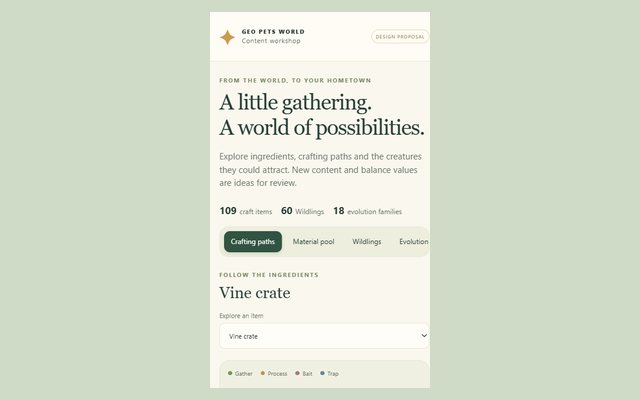
Every proposed recipe on one page. Pick a crafted item to trace its ingredients back to raw materials, then browse the creature roster and its evolution families.
-
-
-
Round one: four ways it could look
Four whole-game looks side by side: a glossy Toybox, a painted Storybook, an Explorer's kit of canvas and enamel pins, and the existing cream and green pushed further. Each draws the same splash, map, Hometown, collection, inventory and confirmation, set against the game as it looked on 20 September.
-
Making the map's roads and borders read
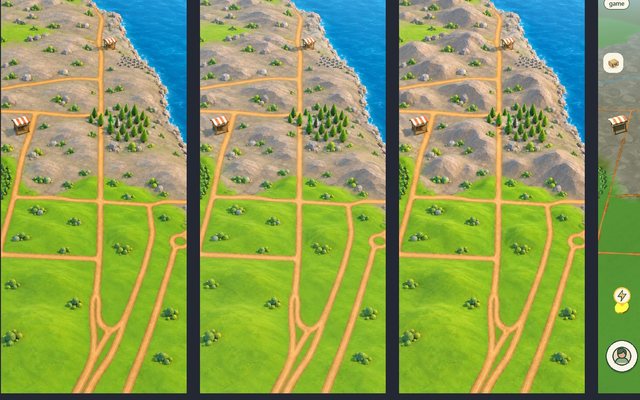
Real captures of the running game at three places, before and after roads gained worn edges and the borders between biomes blended softly instead of ending in a hard line, with a viewer for each camera. A second page compares three ways of choosing which real roads to draw.
The worn road edges and blended biome borders went into the game.
-
The map at night
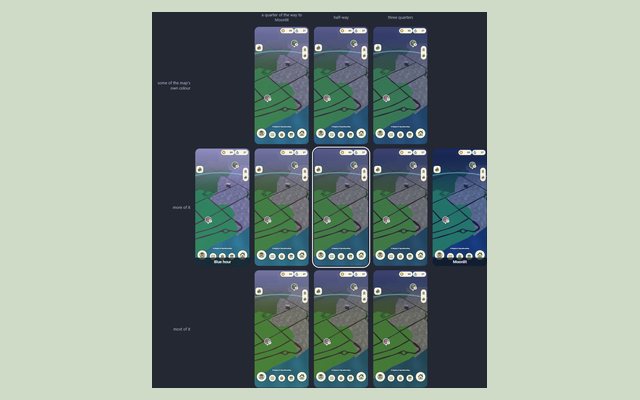
Four ways the world map could read as night while everything tappable stays easy to find, at three zoom levels, with a day-to-night slider. A second round turns the request for something between Moonlit and Blue hour, with more of the map's colour kept, into a grid of nine levels to point at.
-
Round two: one world, three finishes, four hours
Three answers to one brief: bold light in the world, a completely flat interface. Playset is a smooth toy diorama, Relief a faceted low-poly model with an atlas-like interface, Miniature a tilt-shift tabletop whose two interface colours follow the hour. Each shows one view at dawn, midday, golden hour and night.
The Playset world later became the reference look for the terrain work.
-
Beamed down from Hometown
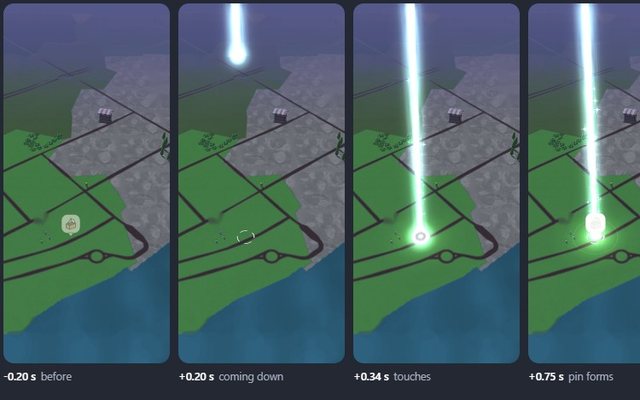
Six ways a worker or trap could arrive on the map as a beam from the floating Hometown above, simulated live over the game's map at three zoom levels, by day and night, with a scrubber to step through each effect.
-
Water: depth, fish and things that glow
Three looks for water that deepens away from the shore (Lagoon, Chart bands, Deep glass), with shadow fish swimming in small groups. Then a fishing spot as a circle of circling fish, a water critter that surfaces briefly, and bioluminescent answers for the night.
The Lagoon look with its schooling fish went into the game, with a turtle, ray and eel as decoration.
-
Where you are: the player marker and the ring
Six rings with no marker and six markers that are not characters, shown at three zoom levels, by day and at night, all moving.
Three rings and three markers went forward as Settings options.
-
-
-
Small life: fireflies, butterflies and birds
Fireflies at night, butterflies by day and three pictures of what birds could be (a skein in a V, gulls wheeling over a fishing spot, a flock from the trees), drawn live over the map with their shadows.
The skein of seven became a passing decoration in the game.
-
Terrain references: shores, rocky Stonefield and roads
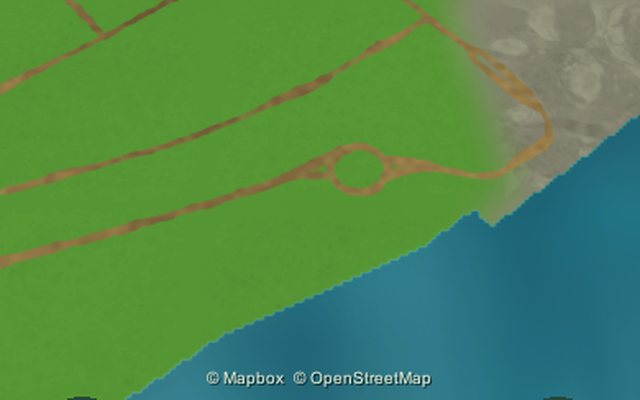
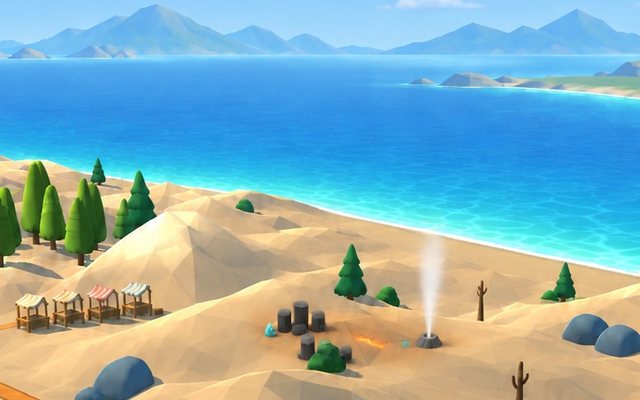
Reference pictures for improving the generated terrain meshes: Stonefield as low rocky mountains at three strengths, banks and beaches, roads over ridges. Each is laid beside the game's own capture of the same view with a drag-to-wipe handle.
Stonefield's rugged relief was built to match these.
-
-
-
Landmarks: the market, Energy and Water
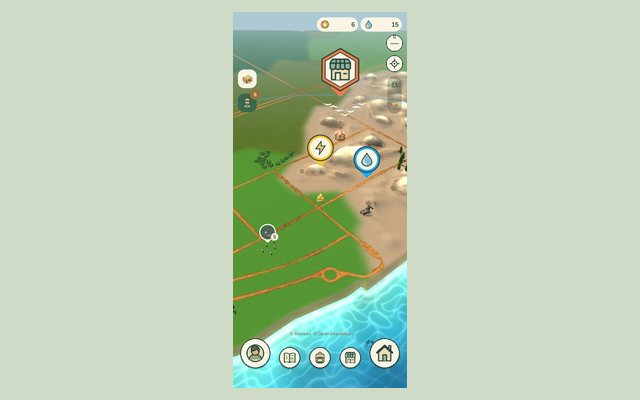
Small objects for the places a player collects Energy and Water, and for the market, with a larger pin of its own for the market, set into the game's map at two zoom levels and switchable. A second page gives the chosen ones their effects (a glowing orb, a spring that runs dry, a pavilion lantern), by day and at night.
The Orb post, the Spring, the Pavilion and the Emblem pin went into the game.
-
Capture ladder viewer
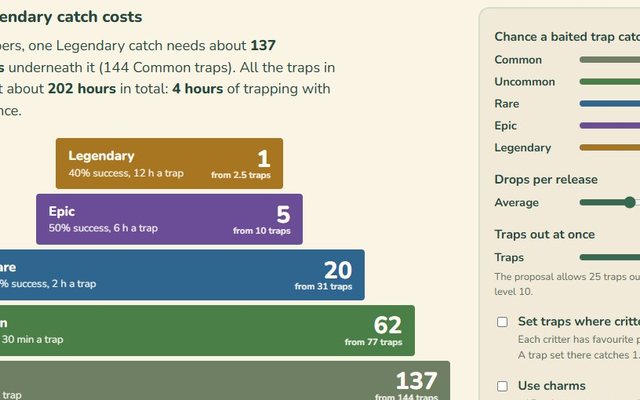
What one Legendary catch costs, tier by tier: traps, drops, biome trade and the Hometown tech tree. Sliders redraw the pyramid.
The game loaded this ladder's items and critters the next day.
-
-
-
The pin bounce when tapped
Touch feedback for the map's pins: shapes of vertical bounce stated in pixels and seconds, played at the map's three zoom levels over the game's screenshots, with a quiet ring where the tap landed.
Squash, hop and settle was picked and went into the game.
-
Dance-Off capture scene
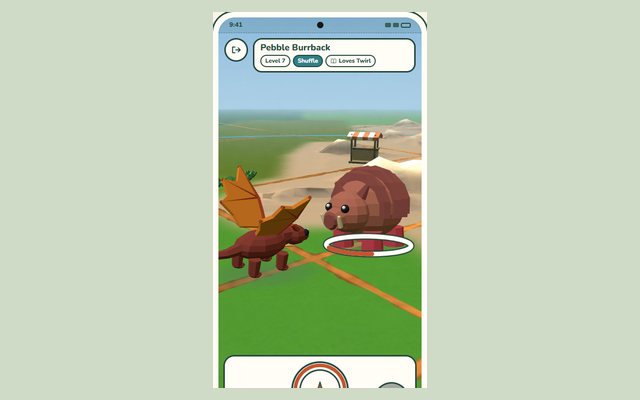
A playable mockup of catching a Wildling: tap a sighting on the map, choose a dancer, dance, then throw a lasso. Dance controls and progress displays can be switched; the creatures are low-poly placeholders.
Approved as a mockup; building it was deferred until the levelling and evolution rules are redesigned.
-
Menus for the capture loop
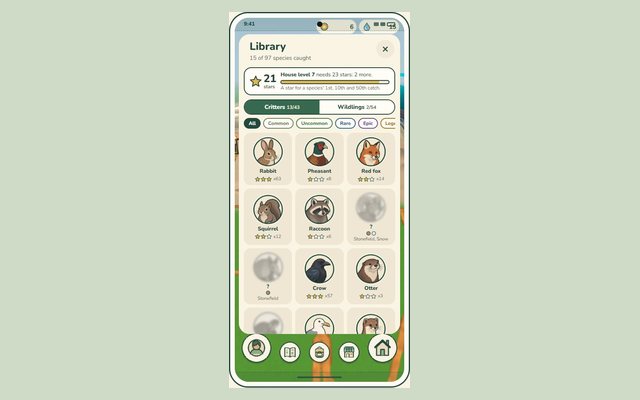
Three phone menus around one example player: the species library with stars and lore pages, a new player's choice of three baby Wildlings, and the house catalog that says exactly why a building is locked.
The critter library and the house catalog were built into the game that day; the starter choice and the Wildling tab were deferred to a later Wildling release.
-
When the connection drops
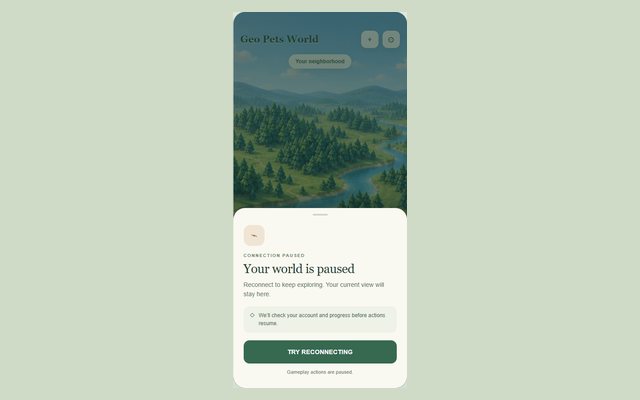
What a player sees when the connection drops: the world stays in place under a pause sheet while the connection, account, saved progress and clock are checked, with states for a failed time check and for an account that moved to another device. A second page previews the confirmation for moving an account to a new device.
-
Icons, portraits and pins
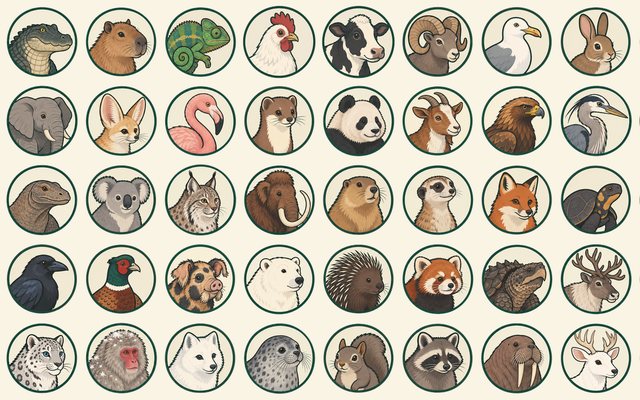
One flat, outlined family for the game's small pictures: item icons for materials, drops, crafted goods, traps and bait; round painted portraits for fifty critters, which replaced renders of their 3D models; and map pins for the farm animals.
-
Market and Settings as windows
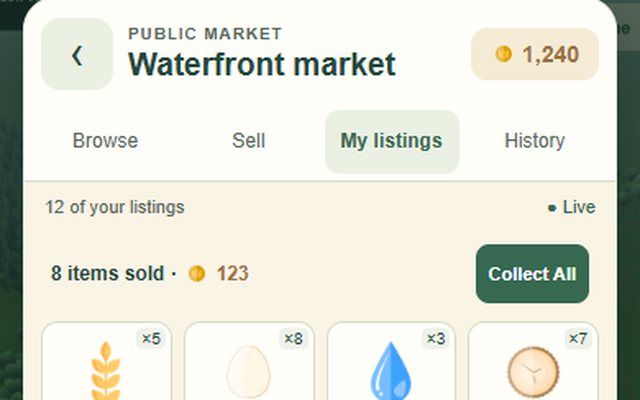
The market and the Settings screen redrawn as inset windows over the map, which stays visible under a dim backdrop. Both previews are interactive: four market tabs with browsing, selling, collecting and withdrawing, and three Settings tabs.
Approved and built in the game.
-
-
-
Biome horizons: hiding the edge of the map
Zoomed all the way in, the map ends in a band of bare sky about 80 pixels tall. A fresh study measures that gap, weighs eight ways to hide it and draws each biome at the low camera, today and as a mockup, with a moonlit night, a sunset and six strange formations. The three earlier rounds of terrain concept boards sit beside it.
The first set was set aside and the study restarted from real captures.
-
Biome ground: how each biome's terrain could look
Round two repaints one coast as Meadow, Grove, Marsh, Stonefield and Snow, with a thumbnail glance test and colour-distance tables. Round three answers the review with crop fields, irregular swamps, grey slabs and a Stonefield tone strip. A third board adds a tree copse, boulders and a wheat field to every biome under one rule.
-
-
-
Fewer taps to hire a worker
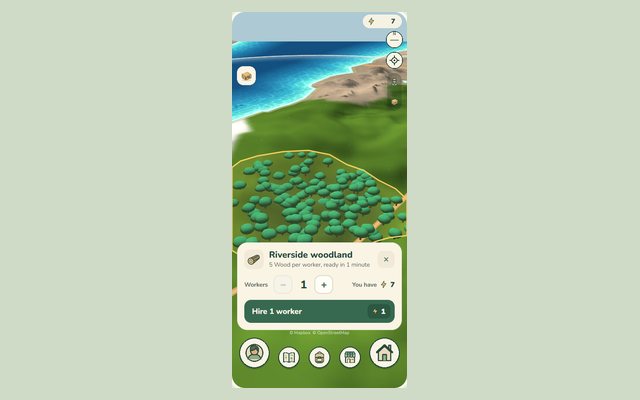
Six ways to hire workers on the world map, today's flow plus five concepts, each drawn as a live phone in eight situations (enough Energy, short, none, out of range, harvest ready, hiring, hired, save failed) over a capture of the map. Hire, undo, collect, and hold + or − to count.
Concept A won: a stepper with the price on the button and an Undo in place of a confirm step.
-
Quarries and ore: material groups for custom 3D
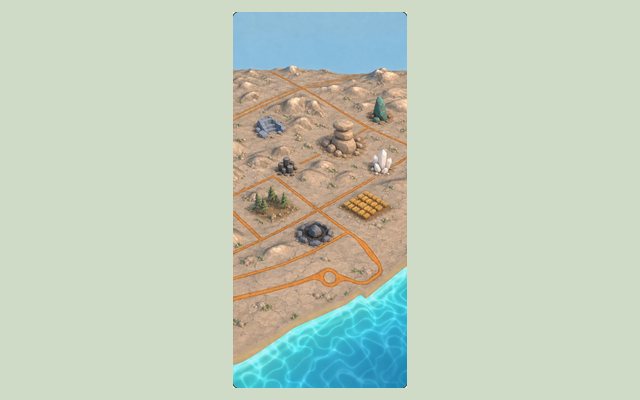
Ways that stone, clay, copper, iron, quartz and thunderstone could be built as custom low-poly props: concept sheets and an edit of the Stonefield map for each, with a rough triangle budget. Round two adds a colour plan that avoids too many reds, new copper shapes, quartz in pieces and crater variants.
Round one's picks: the tor, stepped clay pits, iron columns, a quartz vein and a thunderstone crater. Round two recolours the set to avoid too many reds.
-
Single finds on the map
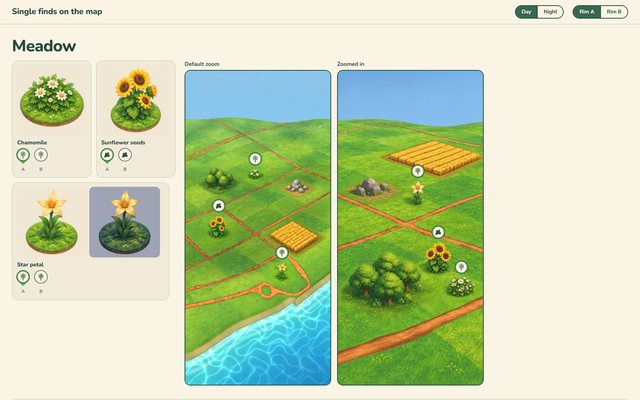
For each biome, a shelf of the small things a player can pick up (chamomile, hazelnuts, glowcap, wisp lily, frostbloom and six candidate Stonefield plants) on discs of local ground, then painted default and close-up map tiles with the game's pickup pins over each find. Switch between day and night, and between two pin rims: A takes a family colour, B keeps paper.
-
-
-
From crafting menus to production lines
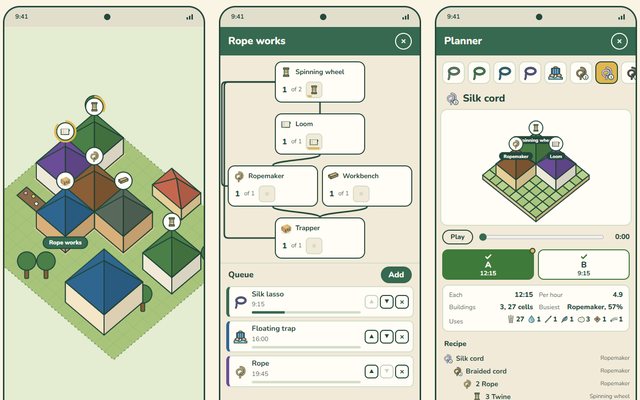
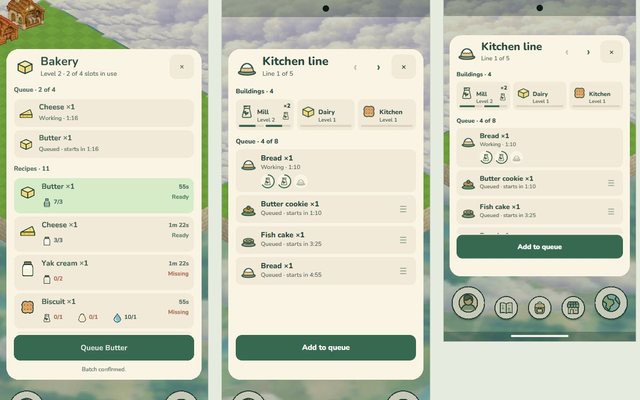
Crafting buildings that touch form a line: queue an order at its end and only the finished item reaches the bag. Three phones, a timeline and a planner compare ways to build one, followed by the recipe tree behind it and the crafting-sheet study that came before.
The hybrid, which splits the fibre family along the flow of materials, became the working direction.
-
A market that fits in one hand
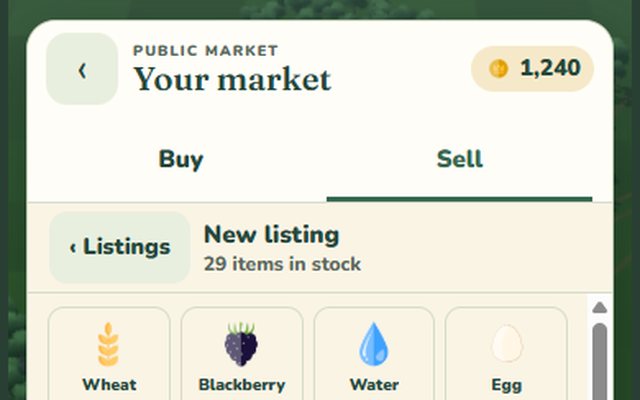
A clickable portrait mock of the player market: Buy and Sell tabs, a full-height item grid for a new listing, a quantity and price composer with a simulated keyboard, SOLD cards and an offline state, at two phone sizes.
Approved and built.
-
Production lines on the real screens
The line idea redrawn on today's crafting sheet and the real Hometown: five boards of live phones set beside Unity captures, then how buildings join and split lines when moved, with three ways to show a line at rest.
-
Icons and buildings for production
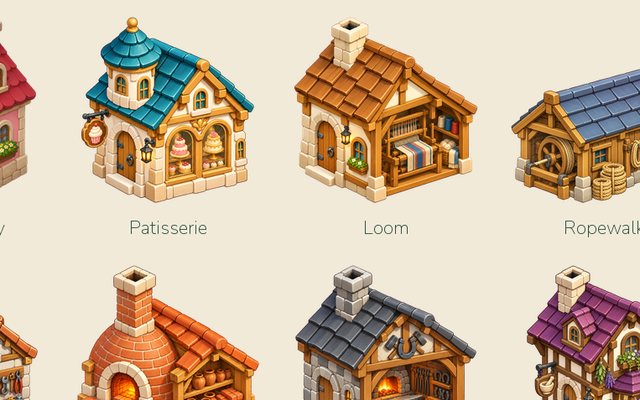
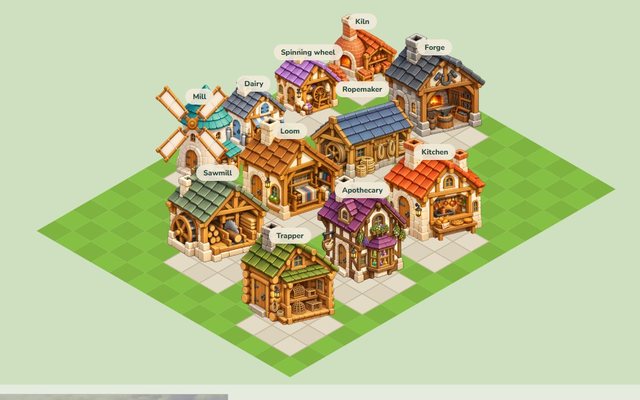
Concept art for the production tree's eleven buildings standing touching in lines, with the Loom at three levels, and one icon for each of the tree's 97 items, drawn in the game's icon language.
-
-
-
Choosing Hometown's camera
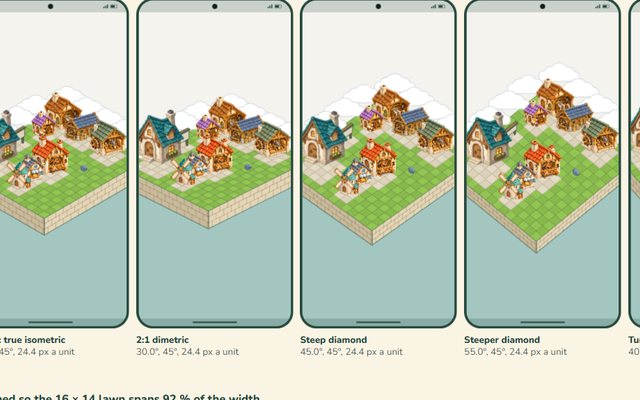
A live camera tool, seven candidate cameras on the same small town, tests for touching, hiding and drawing templates, a table of how other games set their camera, and a recommended 45 degree view.
-
Could Hometown be 3D?
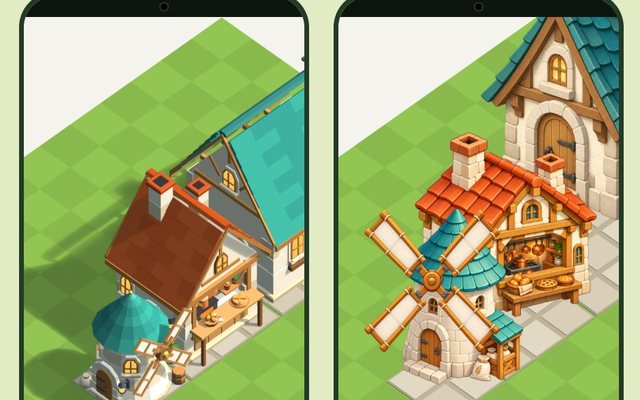
A look test of whether Hometown's buildings could be real 3D models instead of painted sprites: a Mill, a Kitchen and a house beside today's paintings, turned to four sides and touching as a line. The same brief was built three times, and the three views differ in how much detail the models carry.
-
-
-
Relit billboards: one Kitchen, lit at runtime
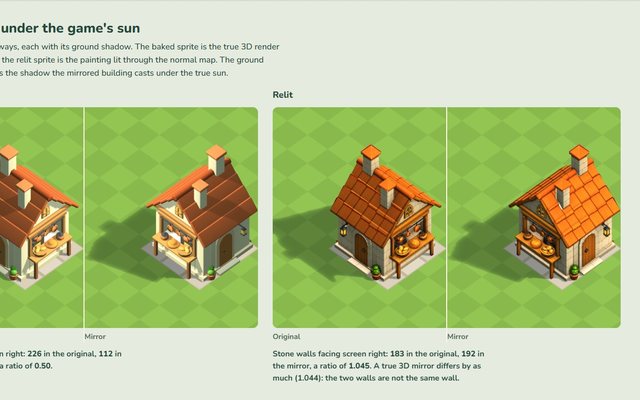
A look test. Can a flat-painted building, lit through a normal map, give consistent results? The board sets baked and relit sprites, and their mirrors, side by side under four suns.
Relit mirrors matched. The generated painting was only partly flat-lit.
-